Deploy report in sharepoint 2013
Manually :
After u uploaded rdl,rsd,u should do some ext updating operation .
- U should update dataset' datasource to new Sharepoint format like: http:// -[spsite]/[datasource name]. Just choose the datasource u created.
- u should update rdl'dataset ref to new Sharepoint format like : http:// [spsite]/[datesetname].Just choose the dataset u uploaded. Update rsd , rdl as follow:
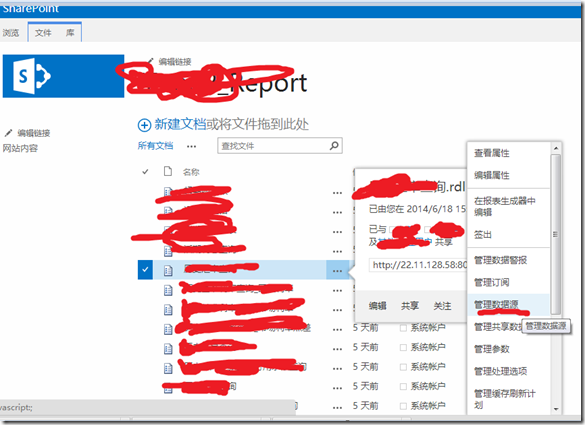 Click it to update to correct ref. Auto publish by SSDT Tools:
Create libs in sharepoint site.Config it in SSDT deploy property page,click deploy.For more details U can turn out to book <Pro sharepoint 2013 Business Intelligence Solutions>.
As I see, u set TargetServerURL to a wrong target,it's not a site url.U can try to set it to http://mysharepoint/sites/mysite/ . Haha,I'm not sure,suggest u deep in to the book.
还没有评论,登录后来说两句。